
Skills
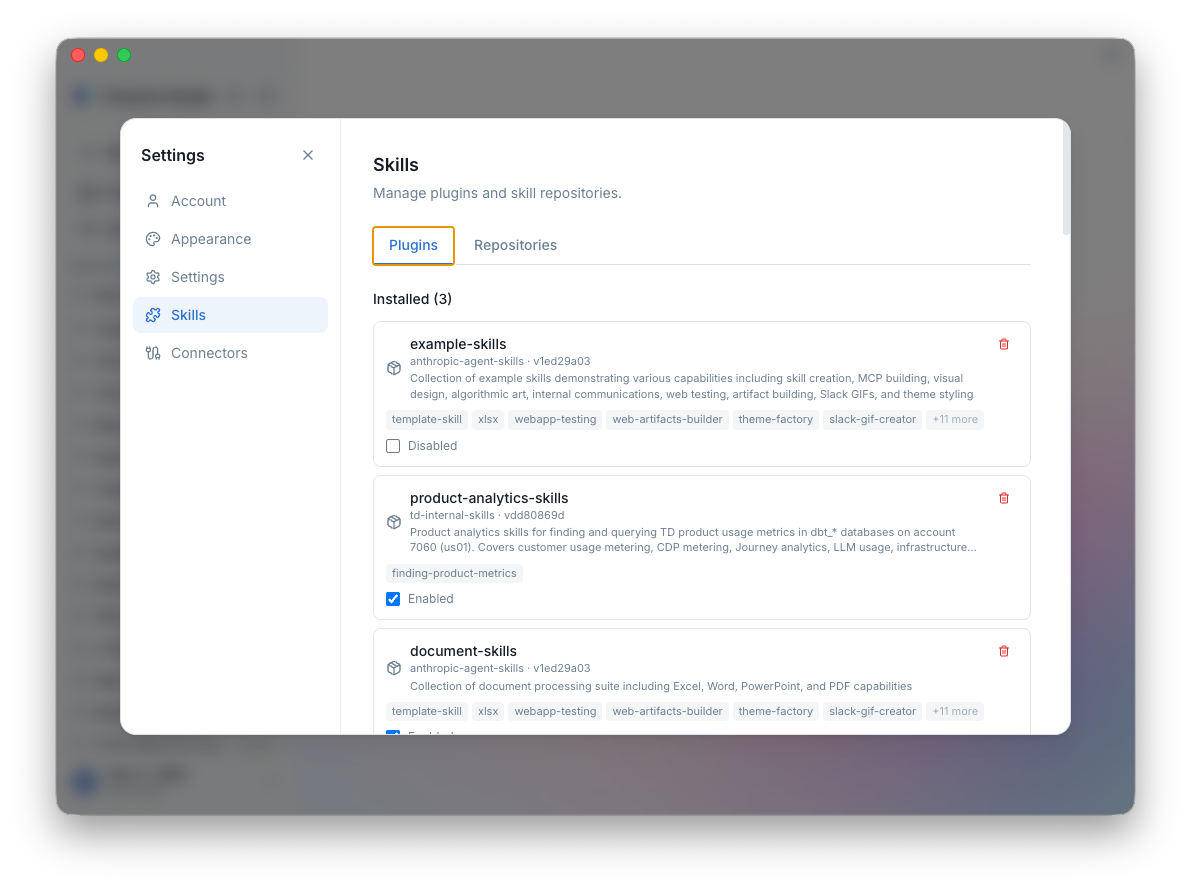
Studio comes with Treasure AI skills pre-installed — it already knows TD-specific SQL functions like td_interval, can build and push segment definitions, and debug workflows. Need more? Skills are how you extend the AI further, whether with Anthropic's skills for document generation, your team's internal tools, or skills you build yourself.
How Skills Work
A skill is a package of instructions that the AI loads when the skill is active. It tells the AI what to do, when to do it, and how to use specific tools. Skills follow the open Agent Skills standard, so they work across compatible tools including Claude Code.
You can:
- Enable skills per session — Toggle skills on or off depending on what you're working on
- Pre-select skills in a project — A "CDP Ops" project can always have segment and journey skills active
- Invoke skills directly — Type
/skill-namein chat to trigger a specific skill with your message
Pre-installed Skills
Studio comes with td-skills pre-installed — no setup required. These are ready to use the moment you launch:
| Category | Skills | What They Do |
|---|---|---|
| SQL | trino, hive, trino-optimizer, time-filtering | Write, optimize, and migrate TD queries |
| Workflows | digdag, workflow-management, dbt | Create and debug Treasure Workflows |
| CDP | segment, journey, parent-segment, connector-config | Build and validate segments, journeys, and activations |
| AI Agents | agent, agent-prompt, agent-test | Develop and test TD AI agents |
See TD Skills for the full list with details.
Marketplaces
Want more? Skills are distributed through marketplaces — git repositories containing skill packages. Studio browses these repositories and lets you install skills with one click.
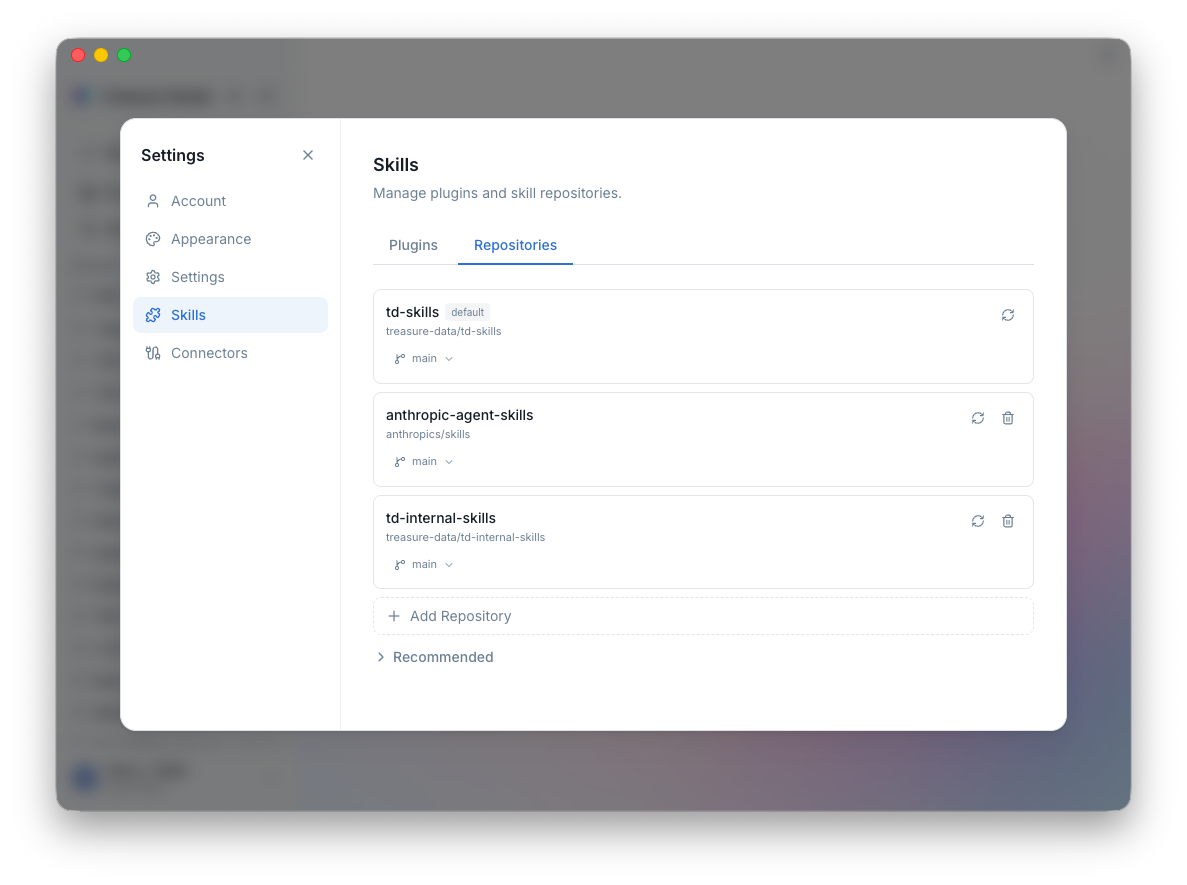
Available marketplaces include:
| Marketplace | What's Inside |
|---|---|
| td-skills | Treasure AI skills for SQL, CDP, workflows, and AI agents (pre-installed) |
| anthropic-skills | General-purpose skills from Anthropic — document generation (PDF, DOCX, PPTX, XLSX), web app testing, MCP server generation, and more |
You can also add custom marketplace sources in settings to share internal skills across your team.
Installing and Managing Skills
- Open the Skills panel in the sidebar
- Click Marketplace to browse available skills
- Click Install on any skill you want
- Enable it in the sidebar or pre-select it in a project
To remove a skill, open its menu and select Remove.
Creating Your Own Skills
Skills are just directories with a SKILL.md file:
my-skill/
  SKILL.md        # Skill definition (required)
  tools/          # Optional tool definitions
  resources/      # Optional resource files
The SKILL.md uses frontmatter for metadata, followed by instructions for the AI:
---
name: my-skill
description: What this skill does
version: 1.0.0
triggers:
  - keyword1
  - keyword2
tools:
  - tool-name
---

# My Skill

Instructions for the AI go here. Be specific about when to use
this skill, what tools to call, and what output format to produce.| Field | Purpose |
|---|---|
name | Unique identifier |
description | Shown in the UI and marketplace |
version | Semantic version for updates |
triggers | Keywords that auto-activate the skill |
tools | Tools this skill needs access to |
TIP
Put the most important instructions first. The AI uses progressive disclosure — it reads the beginning of a skill immediately and loads more detail as needed.
Publish your skill to a git repository and add it as a custom marketplace source, or share the directory directly with your team.
Next Steps
- Connections — Connect external services to expand the AI's reach
- Introduction — Explore the full feature set
- TD Skills — Full reference for the pre-installed skill library